
Cubex
Cubex is a proof of concept about how container environments can be configured at startup rather than creation. It works with OCI-compliant images to create and manage isolated container environments called subsystems, running rootless by default.
It explores whether separating the container image from its runtime configuration can provide a more adaptable approach. Instead of recreating an environment for different requirements, Cubex aims to let configurations be adjusted when a subsystem starts, including how it accesses host resources.
Warning: Cubex is an experimental proof of concept. Its behavior, limitations, and security properties have not been fully evaluated. Do not rely on it for production or security-critical workloads.
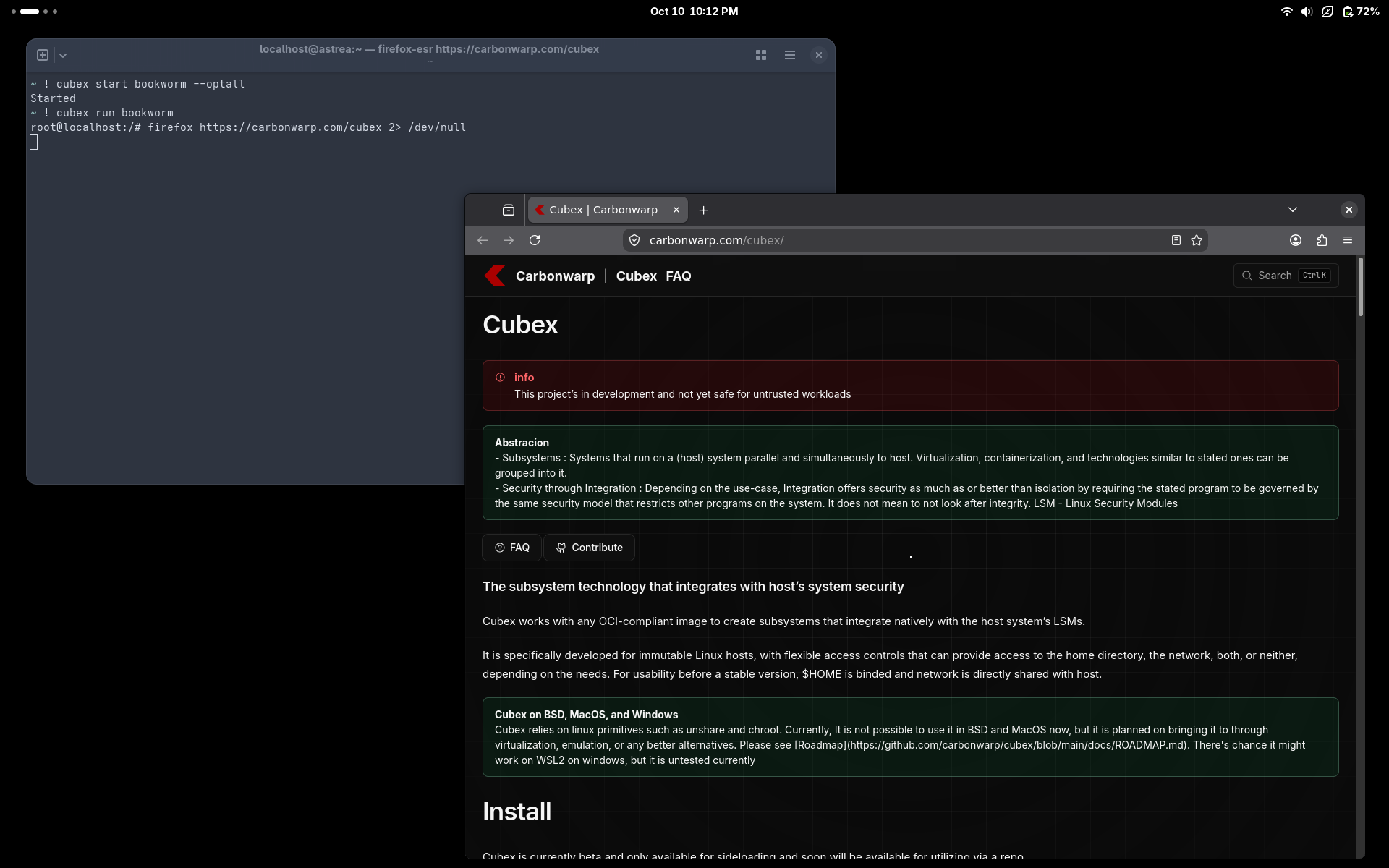
Currently, it can search, pull, and store images, and create subsystems that either optin to run as if host at start or isolated (though it also has network access but, just isolated from host’s).
Install
Cubex is available for Linux via sideloading .
-----View Public Key-----

mDMEasQRTRYJKwYBBAHaRw8BAQdAMa1vpexLNi3tWaCtT2XV86QUyuON6IO3fg2w
J/ZVMVG0GUN1YmV4IDxjdWJleEBjdWJleC5hbHBoYT6IeAQwFgoAIBYhBEehYo+M
UA4JKoTwg26LJ7DxHOUHBQJqxpzEAh0gAAoJEG6LJ7DxHOUHXeQBAP8sze90C3tn
B3HLf17V7vM3JlWjlSoJPSa0qU3iKjMdAQDfo3ObC+YyWsRImFEcJxInxu2v09HH
vl8BokeLdp5WCYiTBBMWCgA7FiEER6Fij4xQDgkqhPCDbosnsPEc5QcFAmrEEU0C
GwMFCwkIBwICIgIGFQoJCAsCBBYCAwECHgcCF4AACgkQbosnsPEc5QfoNQD/TuAV
ksFgb3hG4+Nm5Ne9SGDezITZOxHa2AXI035fwhQBAOAaQUfA8+ZOvuBB9vahEaj5
3aI5EWYPzcNpxCLn6+4MtB5DdWJleCA8c3VwcG9ydEBjYXJib253YXJwLmNvbT6I
kwQTFgoAOxYhBEehYo+MUA4JKoTwg26LJ7DxHOUHBQJqxpzEAhsDBQsJCAcCAiIC
BhUKCQgLAgQWAgMBAh4HAheAAAoJEG6LJ7DxHOUHaPIBAPDVSbmbk4sXhYxBzqI3
VFoRoxDyNf1GIVCyLlvqmBM9AQDm7da0JMlPeIvfRWmhMV4DEsgCIvMcQXryEedF
da0uCg==
=VxW7
-----END PGP PUBLIC KEY BLOCK-----
Public key is also available at https://repo.carbonwarp.com/cubex/public.asc
DEB
Debian, Ubuntu, Mint, and Pop!_OS
curl -fL -o cubex-latest.deb https://repo.carbonwarp.com/cubex/deb
sudo apt install ./cubex-latest.deb
Remove
sudo apt remove cubexRPM
Fedora / RHEL / Rocky / AlmaLinux / CentOS Stream
sudo rpm --import https://repo.carbonwarp.com/cubex/public.asc
curl -fL -o cubex-latest.rpm https://repo.carbonwarp.com/cubex/rpm
sudo dnf install ./cubex-latest.rpm
Remove
sudo dnf remove cubexopenSUSE / SLES
sudo rpm --import https://repo.carbonwarp.com/cubex/public.asc
curl -fL -o cubex-latest.rpm https://repo.carbonwarp.com/cubex/rpm
sudo zypper install ./cubex-latest.rpm
Remove
sudo zypper remove cubexFedora Silverblue / Kinoite / Bazzite
sudo rpm --import https://repo.carbonwarp.com/cubex/public.asc
curl -fL -o cubex-latest.rpm https://repo.carbonwarp.com/cubex/rpm
rpm-ostree install ./cubex-latest.rpm
systemctl reboot
Remove
rpm-ostree uninstall cubexCheck the key fingerprint (optional)
curl -fsSL https://repo.carbonwarp.com/cubex/public.asc | gpg --show-keys --fingerprintArch
Arch Linux / Manjaro / EndeavourOS
curl -fL -o cubex-latest.pkg.tar.zst https://repo.carbonwarp.com/cubex/arch
sudo pacman -U ./cubex-latest.pkg.tar.zst
Remove
sudo pacman -R cubexHow to use
Lets try running firefox in a cubex subsystem that uses a debian bookworm image.
Install
- First make sure you have installed the latest cubex version.
- It’s understandable that it’s hard to sideload everytime, uninstall, and then install, but a proper way will be provided ASAP.
Pull image
cubex pull debian:bookworm-slimpulling
image's pulled. Preparing and writing on cubex registry...
done d4c45f66efc59f89b0597d343a9bd72808493c0eacecde5285961743252cee23It pulls the image into the same registry podman and buildah use as OCI-compliant. Currently cubex does not work directly with OCI artifacts so, the image’s changed into a custom cubex image and stored in cubex registry which can be used to create the subsystem
The tag after done is the image id. There’s no need to use the whole ID but just enough to use so that it could be identified distintively from other image IDs
Search in registries
The (local) registries’ divided into two; one for images and the other for containers
cubex listSUBSYSTEM NAME IMAGE IDIt lists all the containers or the header if no containers found
cubex list registryIMAGE ID REMOTE REPOSITORY SIZE
d4c45f66efc5 docker.io/library/debian:bookworm-slim 82MIt checks the image registry and shows the image/s it finds.
Create Cubex subsystem
A current limitation is that subsystem only works with its and images with its ID.
To create a subsystem. Type cubex create followed by the image id and the subsystem name of your choice orderly as follows
cubex create d4c45f66efc5 bookwormDone. Try cubex run bookwormYou dont need to start anything. Just cubex run is enough and it will bring to bash or else sh.
Start
cubex start bookworm --optallThis starts the subsystem. –optall gives all components from display and ssh to host home as root and host network. without it, it gives an isolated subsystem. We can use it by cubex run
Successfully started bookworm. You may run "cubex run bookworm" to get a shell that you can useLets install firefox
Run
cubex run bookwormThis gives a shell. If it finds bash it gives or it defaults to whatever the subsystem / image has in bin/sh
root@localhost:/#Here, host HOME is root home
Run firefox
apt update && apt install firefox-esr0 upgraded, 199 newly installed, 0 to remove and 1 not upgraded.
Need to get 211 MB of archives.
After this operation, 846 MB of additional disk space will be used.
Do you want to continue? [Y/n] apt update && apt install firefox-esrtype Y to proceed
firefox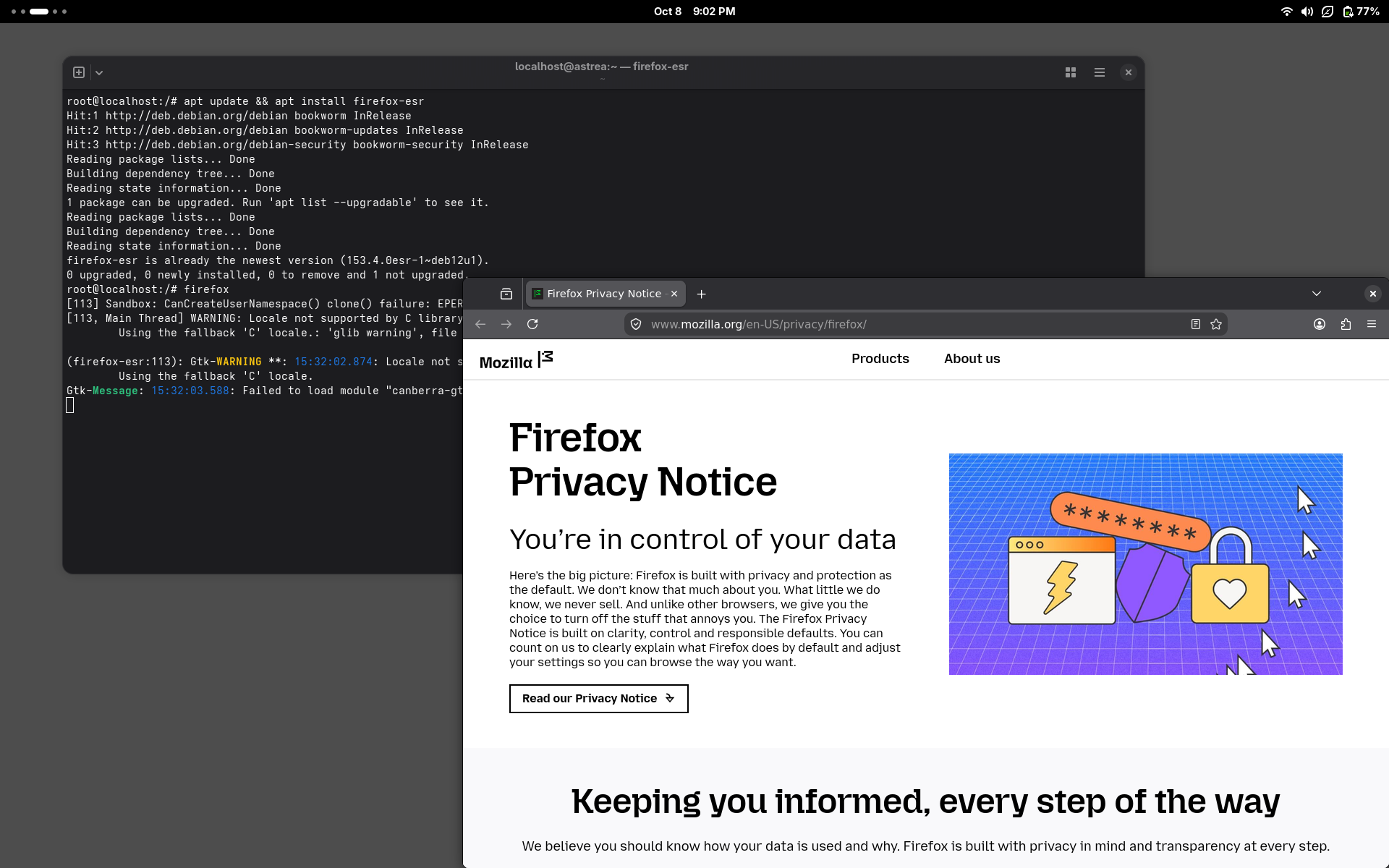
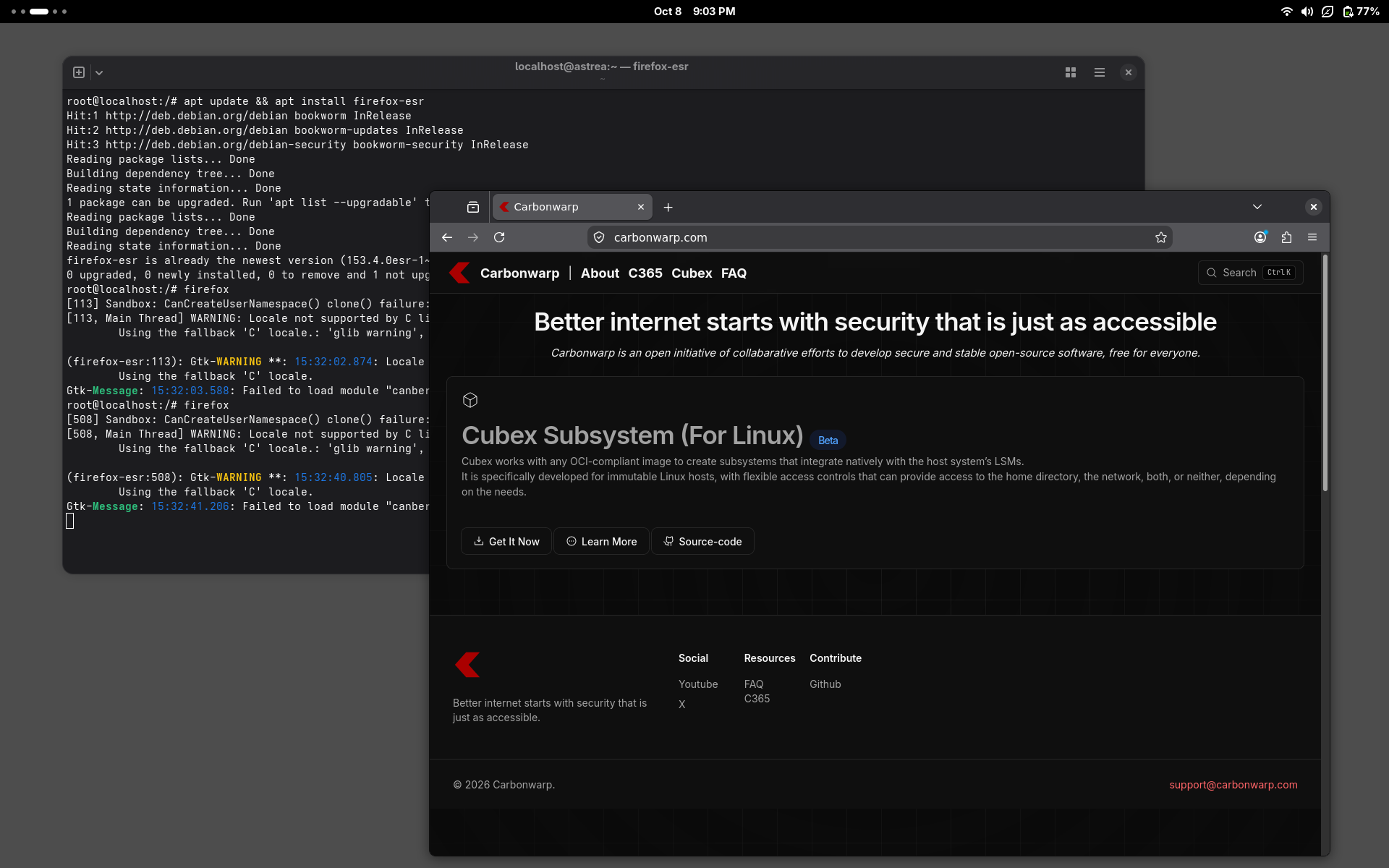
Stop
Now we can stop the container by closing firefox, exiting the shell, and running cubex stop or just opening another terminal tab in host and running cubex stop.
cubex stop bookwormIf it doesn’t stop you can force stop by cubex stop bookworm --force
cubex stop bookwormYou can use cubex list to list all containers.
you can only do factory cleanup that removes all cubex registry image and containers in one command via cubex clean to remove all data related to cubex or cubex clean subsystem to remove containers.